Remediation
Remediation is Octiga writing a baseline’s required value back into Microsoft 365, bringing a deviated setting back into line. You can let Octiga do it automatically for a baseline, or run it yourself when you choose.
Automatic or manual
Section titled “Automatic or manual”| Automatic | Manual | |
|---|---|---|
| Started by | A switch on the baseline, no operator involved | You, from a row, a batch, or the baseline editor |
| Runs when | The next time Octiga detects the deviation | The moment you start it |
| Progress | Not shown live | Live — the row moves through its states as you watch |
Turning on automatic remediation
Section titled “Turning on automatic remediation”The switch is on the baseline row, both on a tenant’s org-level Baselines tab and in a scheme’s own baseline table. It belongs to the baseline rather than to a user, so turning it on covers every user or tenant the baseline applies to.

- Auto column — the per-baseline switch
Three switches decide whether a deviation is fixed automatically, checked in order: your MSP’s automatic-remediation setting, the tenant’s setting, and the switch on the baseline. If any one of them is off, Octiga doesn’t remediate that baseline automatically, however the other two are set. The baseline screens control the baseline-level switch.
However the automatic switches are set, you can always fix a deviation manually.
Fixing a deviation manually
Section titled “Fixing a deviation manually”-
Find the deviated baseline.
Look on a tenant’s org-level tab, the user roster, a group’s member list, or a user’s own detail panel. You can select the Deviated status indicator wherever it appears.
-
Start the run.
Select the Deviated indicator, or choose Remediate from the row’s kebab menu. To fix several at once, select their rows and remediate them in one batch.
-
Watch it move.
The row moves from Deviated to Remediating, then to Passing. On some tenants the row briefly shows an extra “confirming” state after the fix is written, before it settles to Passing. That’s Octiga checking the change took effect, not a second fix.
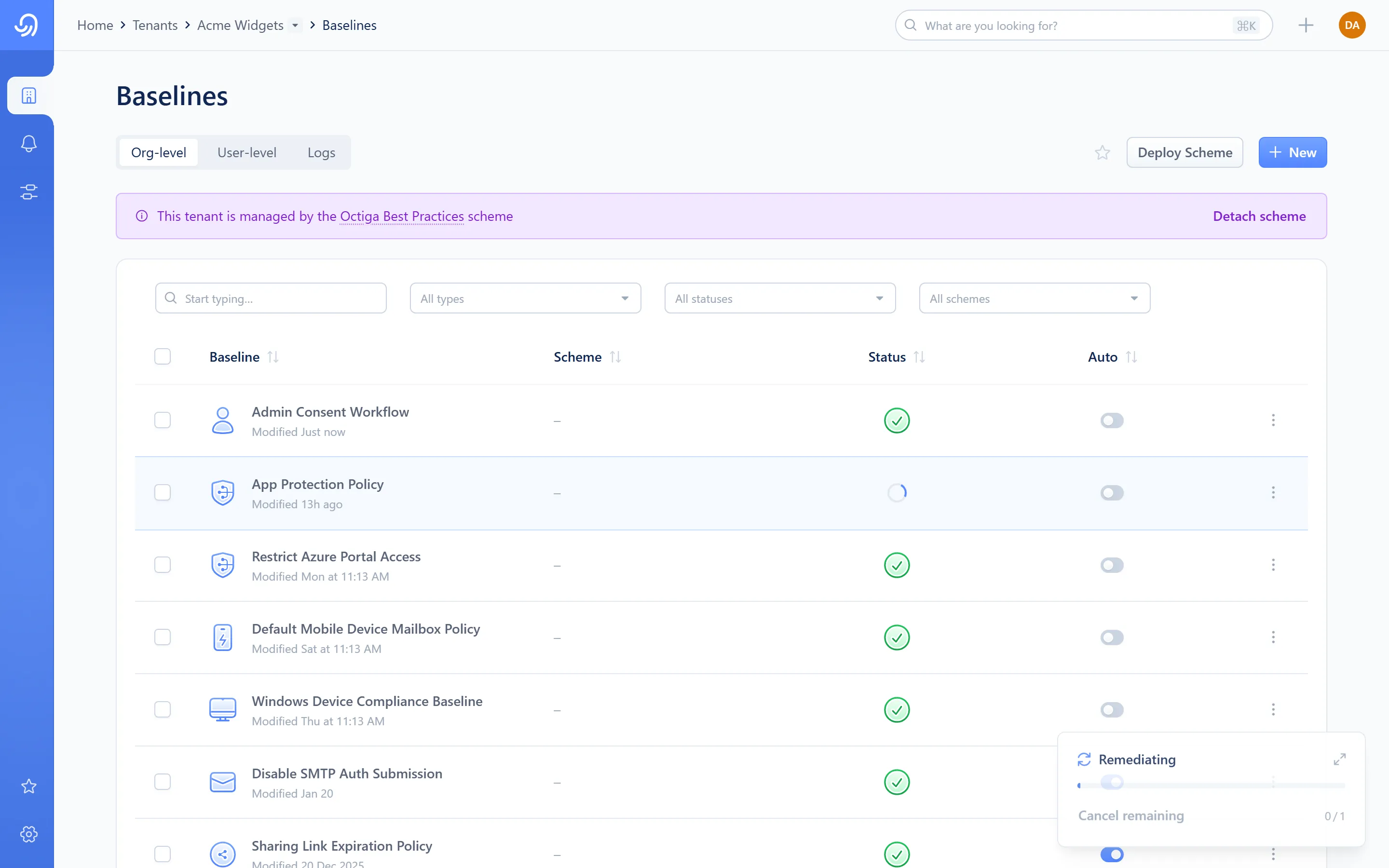
- Spinner — the row is being fixed
Remediate a group from the Groups page
Section titled “Remediate a group from the Groups page”Coming soon
This part of Octiga isn't built yet. Check back once it ships.
Remediate a group’s baselines from a member’s own row in the group’s member list, or from the user roster, instead.
Row states
Section titled “Row states”| State | Meaning |
|---|---|
| Deviated | Not fixed. Either waiting, or a run just settled back here. |
| Remediating | Octiga is writing the required value now. |
| Passing | Confirmed fixed. |
| Failed | The write didn’t succeed. The row settles back to Deviated and names the baseline in an error message — try again, or see Troubleshooting. |
| Unverified | The write went through, but Octiga hasn’t yet confirmed the change stuck. The row settles back to Deviated with an “awaiting confirmation” message. This isn’t a failure — give it a little time and check again. |
What Octiga writes
Section titled “What Octiga writes”Octiga writes the baseline’s required value through whichever API the baseline needs (Microsoft Graph or Exchange Online), then re-syncs that one setting so the screen you’re looking at stays current.